
Why Your Ergonomic Chair Desk Setup Is the Foundation of a Healthy Work Routine
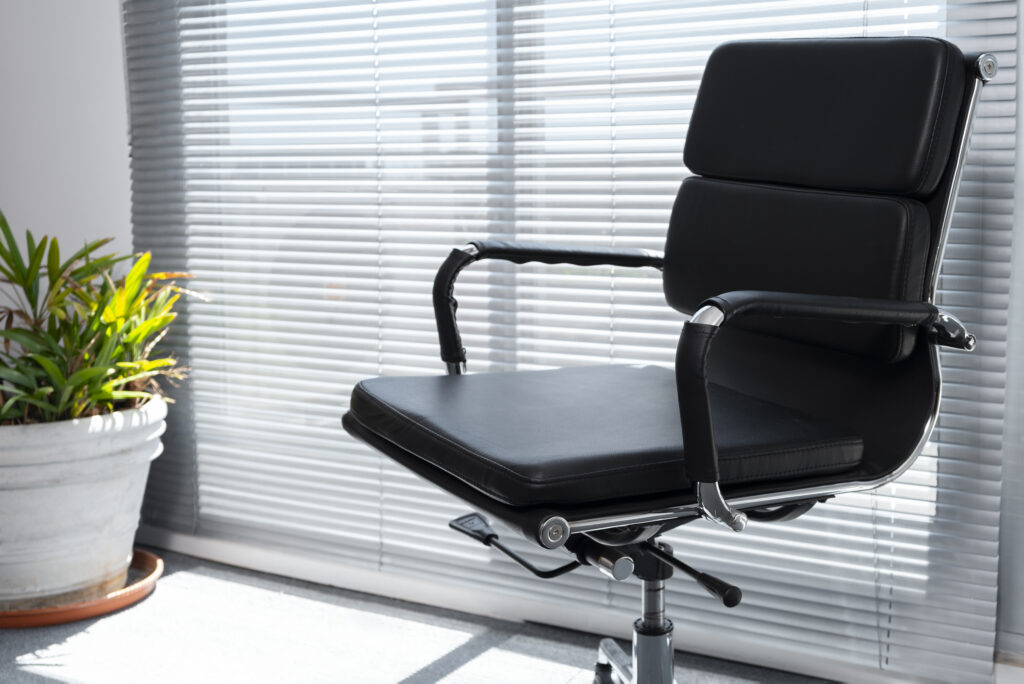
Individuals generally spend considerable time sitting at their desks in their offices. However, very few people consider the way they sit, or even the chair they are using. The reality is that an ergonomically correct seating arrangement is not just for comfort but directly contributes to one’s health and performance.
For individuals working from home, office-goers, and students who study for long periods of time, an ergonomically correct desk chair is crucial.
The Invisible Effect of Bad Ergonomic Desk Seating
It begins with a small issue, such as soreness in the lumbar region, neck pain from a prolonged phone call, or tired eyes at lunchtime. Usually, these are considered inevitable consequences of an active working day. However, after some time, they may progress into serious conditions that will make themselves felt outside the workplace too.
In various research conducted in the area of occupational health, it has been found that bad seating posture is among the most common reasons for injuries at work. In fact, this is seldom due to excessive work. On many occasions, it is rather due to an improper chair combined with an improper desk height.
An ergonomically appropriate chair desk setup helps avoid these issues.
What “Ergonomic” Really Means
The term “ergonomic” is so often seen on furniture advertisements nowadays that it has become practically meaningless. Nevertheless, its definition could not be simpler: Ergonomics is essentially the study of creating working spaces in accordance with the needs of the human body, not vice versa.
A proper ergonomic chair will contour to the natural curves of your spine, especially the area around your lower back. You can adjust your chair’s height, armrests, backrest angle, and possibly even the depth of the seat so that your body is in a comfortable, balanced position throughout your entire sitting period.
Combined with an appropriate desk that allows you to view your computer screen in front of your eyes at eye level while your hands rest on a keyboard placed at your elbows, you get an incredibly comfortable workspace.
Characteristics of a Good Ergonomic Chair
Not all ergonomic chairs provide the same benefits. Here are some characteristics you should consider:
- Lumbar Support – The chair should accommodate the natural curvature of the lumbar region without putting pressure on the body.
- Height-Adjustable Seat – Your feet should touch the floor comfortably with your thighs horizontal.
- Flexible Armrests – Your arms should lie on the chair gently, ensuring your shoulders and wrists remain relaxed.
- Ventilated Material—Either mesh or good-quality foam ensures ventilation while sitting.
- Depth-Adjustable Seat – There should be a little space (about two to three fingers wide) between the back of your knee and the chair seat.
- Swiveling and Caster Wheels – Swivels and casters allow you to move around your workspace without leaning or turning unnecessarily.
All these characteristics contribute to joint, muscle, and spinal relaxation.
Your Desk also Holds Equal Importance.
An ergonomic chair cannot function effectively when used with a non-ergonomic desk that may hamper proper posture. It is essential to have the right desk height; if your desk is too high, your shoulders will rise, leading to stress. On the other hand, if it is too low, you will bend forward towards your computer.
The Perfect Desk Ergonomics Checklist
The computer monitor should be at or slightly below eye level, one arm’s length away from your face.
- The keyboard should be positioned so that your elbows are at a 90-degree angle.
- Place the mouse next to the keyboard to avoid shoulder stress.
- Keep your wrists straight while working.
- No bright lighting reflecting on your computer screen.
If your chair and desk pairing is perfect, your posture remains neutral automatically.
Whom Does the Ergonomic Workstation Help?
The obvious answer would be anyone who sits to work, but some individuals can truly appreciate the difference.
People employed in the IT, designing, finance, and writing industries spend up to eight to twelve hours sitting at their desks without taking any major breaks. They need a proper setup at work. Anyone planning to purchase a work or office chair in Gurgaon must definitely take into account the needs of people in various departments, right from executives working in private cabins to workers sitting in an open space at work.
Startups and co-working spaces have now realized that providing ergonomic furniture not only minimizes sick leaves and increases workers’ morale, but it also shows that you care about your employees.
Even people setting up their workstations in home offices can truly appreciate the benefits of having their own ergonomic workstation.
Simple Routines to Enhance Your Chair Desk Setup
The most effective ergonomic chair desk setting can be made even more beneficial by developing certain simple habits:
- Standing or walking breaks once every 45-60 minutes.
- Doing light stretches for the neck and shoulders around mid-morning and mid-afternoon.
- Having a water bottle on your desk to keep yourself hydrated and moving.
- Checking your posture periodically, have you pulled your hips back, stood upright, and kept your feet flat?
Final Thoughts: The Importance of Ergonomics in Today’s Offices
It has been more than half a century since the modern office appeared, but the basic truth underlying it remains the same: how you sit affects your comfort level, which in turn impacts your productivity. Choosing the most suitable ergonomic chair-desk arrangement for your space is not about being extravagant, but rather setting up the environment for optimal concentration, minimized strain, and improved overall well-being. Whether you are outfitting a large corporate office or adding a new corner desk to your home office, choosing the right furniture pieces can make a lot of difference. For those interested in premium-quality seating, such as a professional chair, there is no better investment to make.


Comments
No comment yet.